

Wrong orders
Details get lost between the guest, the waiter and the kitchen. The wrong dish goes out and the table waits again.
Now piloting with select restaurants
Guests scan, order, and track their food from the table. Your kitchen and waiters get instant alerts. No wrong orders. No unavailable dishes. No running around.
The problem
Details get lost between the guest, the waiter and the kitchen. The wrong dish goes out and the table waits again.
Guests order a dish you no longer have, and someone has to walk back and break the news.
Every small request means another trip: a menu, serviettes, water, the bill.
How it works
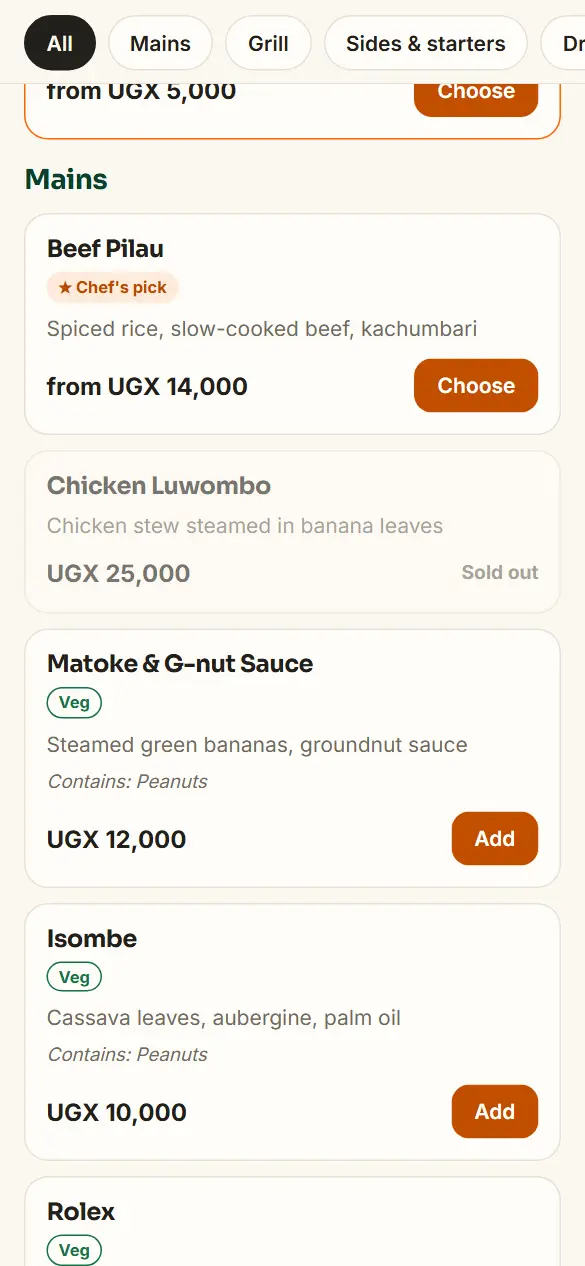
The guest scans the QR code on their table and sees your live menu. Dishes you've run out of are marked sold out, so nobody orders them.
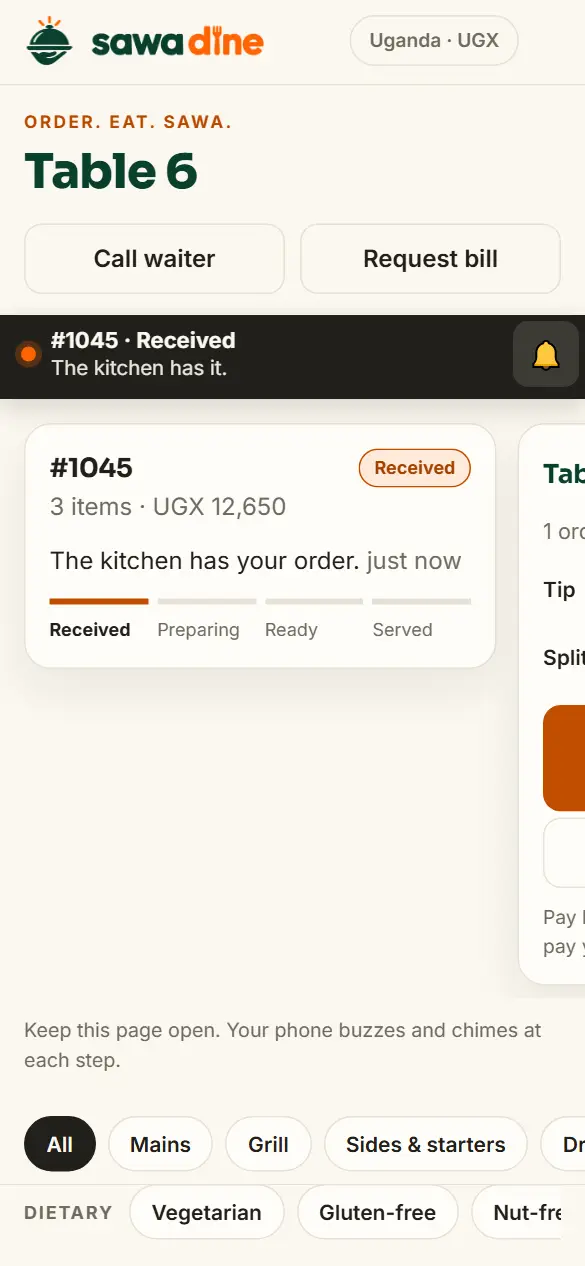
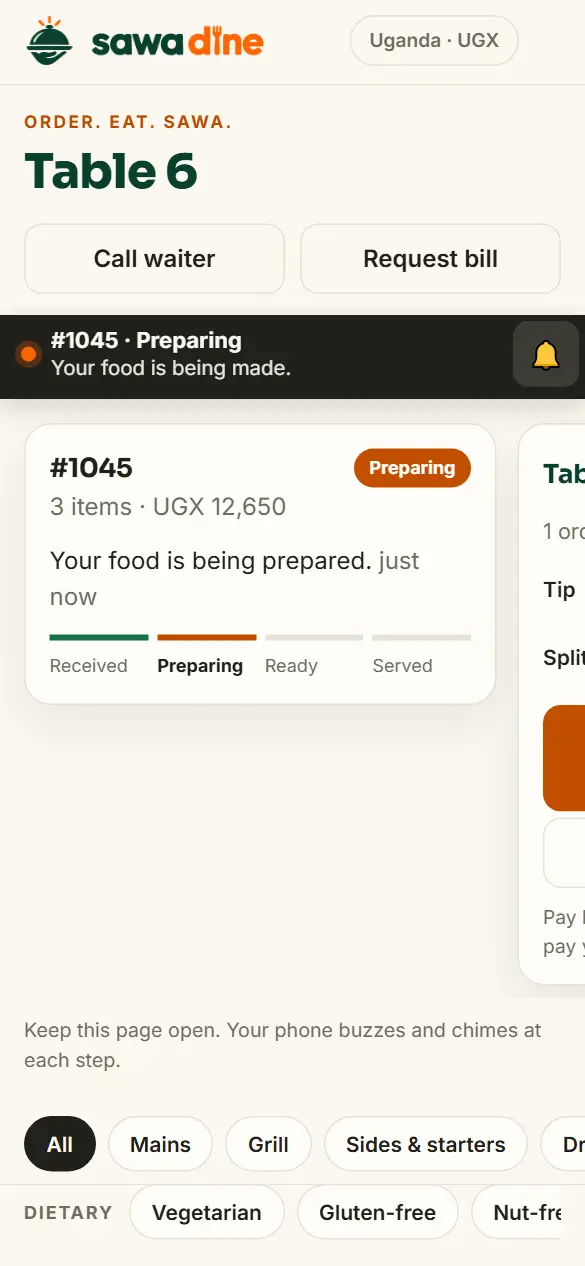
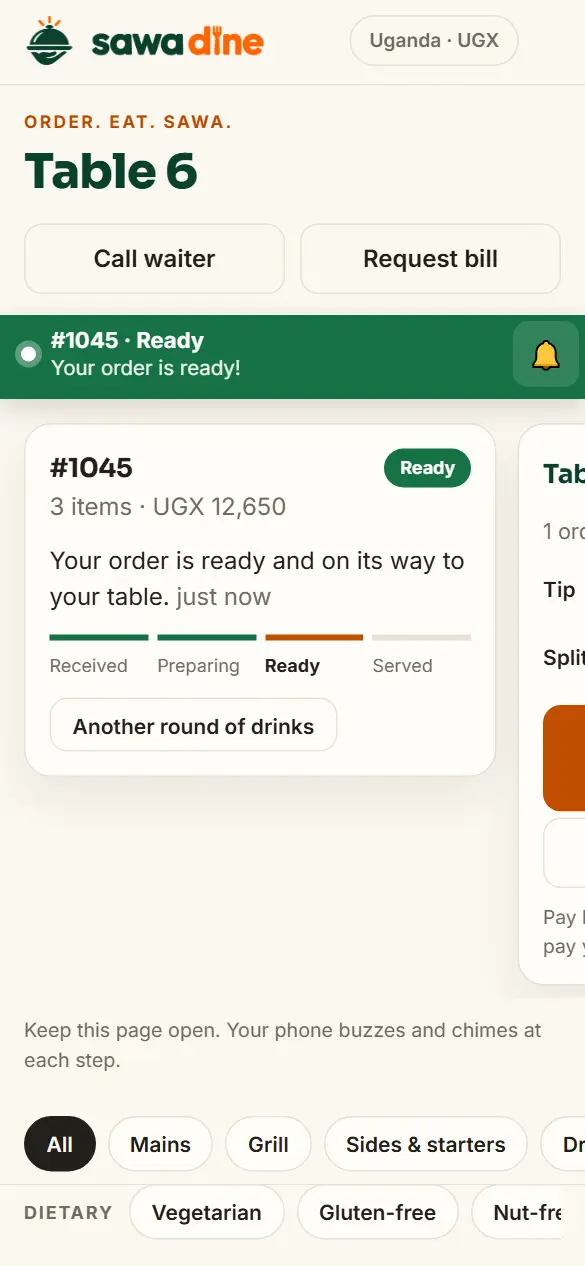
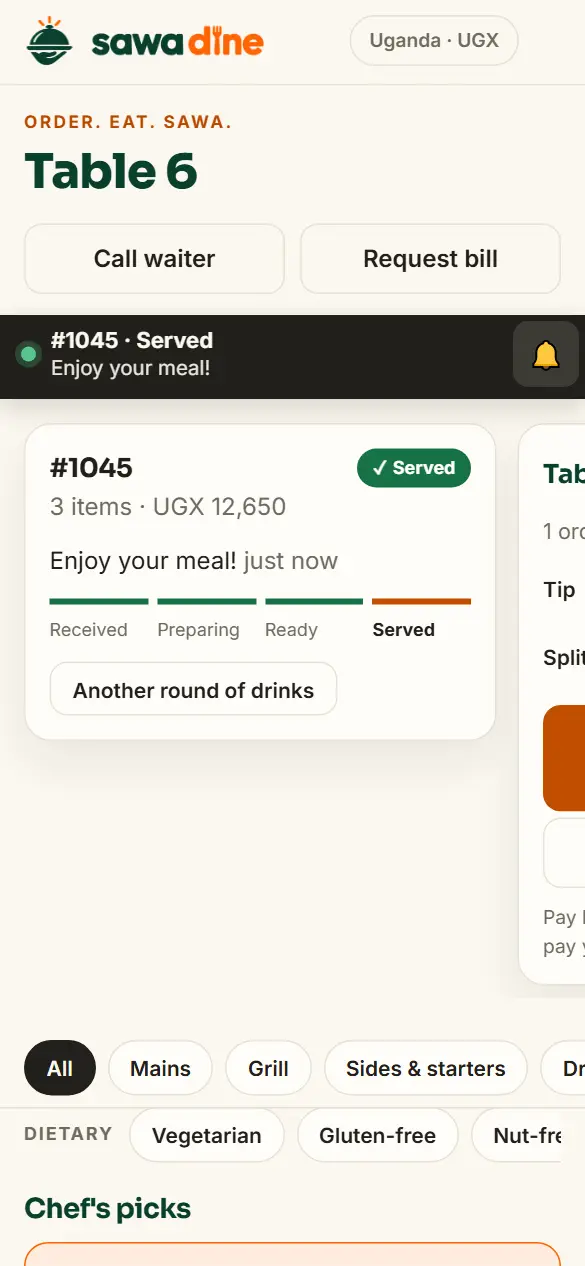
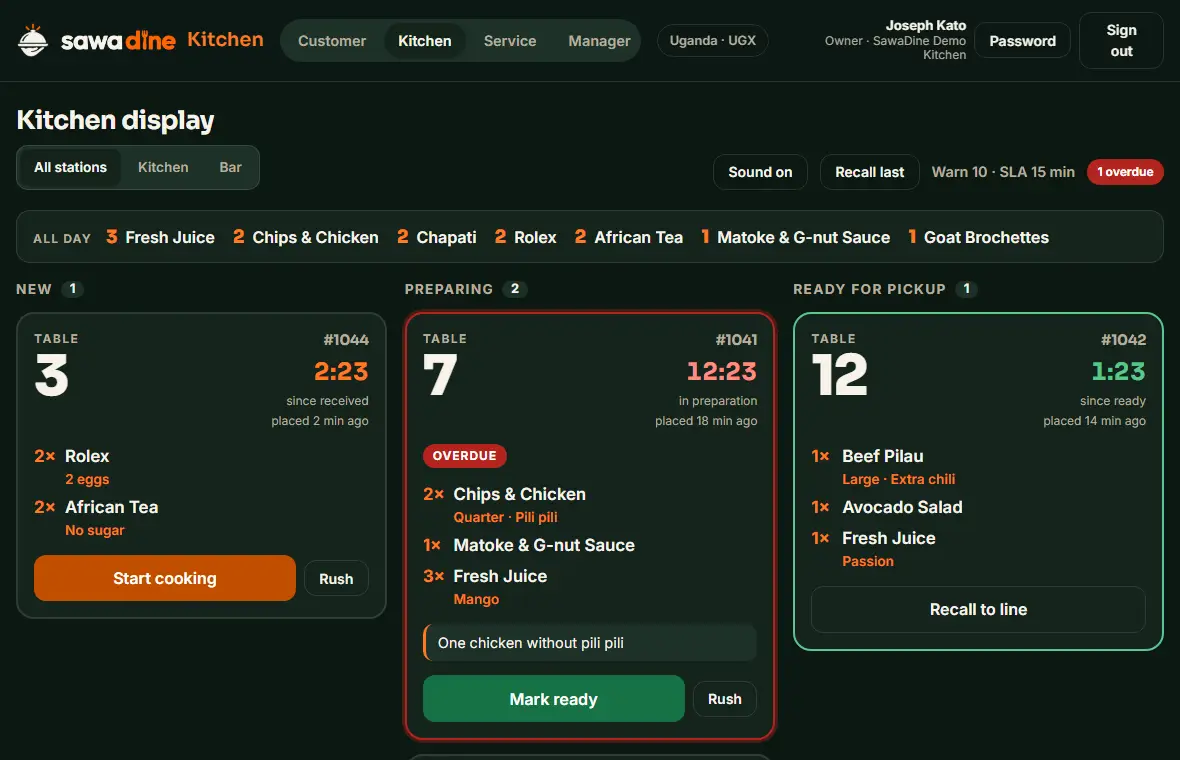
The kitchen screen chimes for every new order. The guest watches it move from received to preparing to ready to served, without asking anyone.
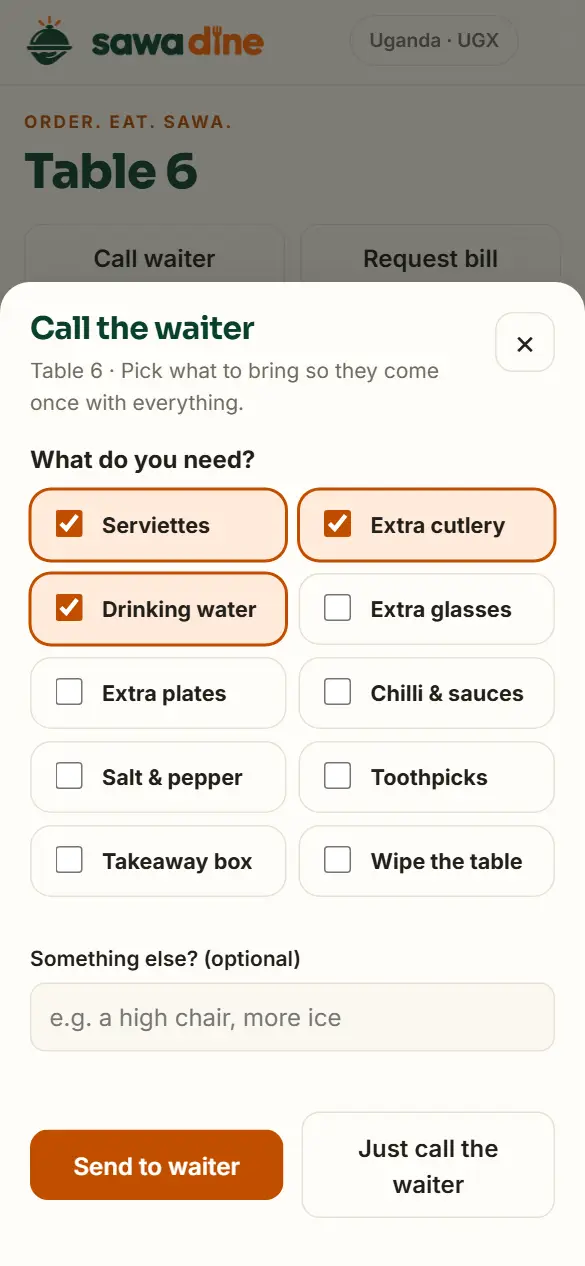
One tap calls a waiter and says exactly what to bring: cutlery, serviettes, water, a clean-up or the bill. When guests are done, they tell you they're ready to pay.
Built for every role
Features
Switch dishes on and off in seconds. Guests only see what you can serve.
Each table has its own code, so every order arrives with the right table number.
Guests follow their order from received to served.
New orders chime in the kitchen. Ready food and table requests chime for waiters.
Guests pick what they need, so the waiter brings it in one trip.
Guests let you know when they're ready for the bill. No more waving across the room.
Kitchen, waiters and managers each get their own screen and sign in with a PIN.
Split the bill between guests, add a tip, and print the receipt or send it on WhatsApp.
Cancellations, discounts and refunds need a manager's OK, and each one is logged with its reason.
Recipes deduct ingredients with each order, low stock is flagged, and your reorder list is ready when you are.
See your best sellers and which dishes to rethink, and get an end-of-day summary on WhatsApp.
Regulars earn points on every bill with just their phone number, and redeem rewards at the table.
Guests rate their meal after paying, and happy guests are invited to leave you a Google review.
Results
Now piloting with select restaurants
Book a demo
Tell us a little about your restaurant and we'll get in touch to set up a short demo, in person or on a call.
We'll contact you soon to arrange your demo.
FAQ
A tablet for the kitchen and phones for your waiters. Guests use their own phones. SawaDine runs in the web browser, so there's nothing to install on your devices.
No. Guests scan the QR code on their table and the menu opens in their phone's browser.
We set it up with you: your menu and prices, what's available, your staff, and a QR card for each table. Most of the work is entering your menu, and we help you with it.
SawaDine needs an internet connection to pass orders between guests, the kitchen and waiters. Guests order over their own mobile data, and we recommend a reliable connection for your staff devices, with mobile data as a backup.
Yes. Managers edit dishes and prices and switch items off in the Manager screen, and guests see the change straight away. Dishes can also show as sold out automatically when their stock runs out.
When they're ready, guests tap to let you know from their phone, and your waiter is alerted. The waiter then settles the bill at the table.